How to Use TradingView: A Beginner's Guide
- 09/13/2026 05:36am
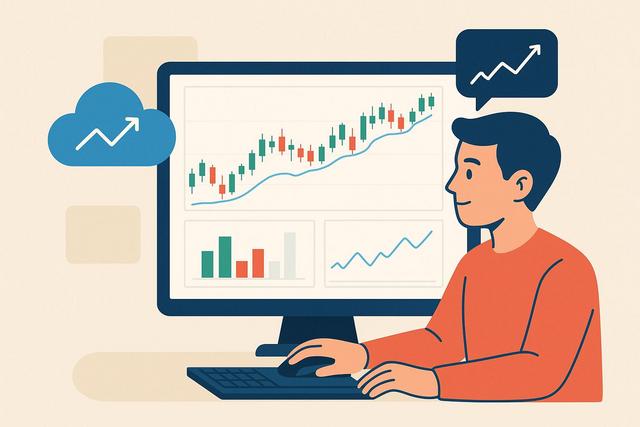
Navigating the world of trading can be complex without the right tools. TradingView stands out as a powerful platform for chart analysis, research, and strategic planning. Whether you're a novice trader or a seasoned investor looking to sharpen your analytic skills, understanding how to use TradingView effectively is crucial. This guide breaks down the essentials and offers actionable insights for beginners looking to leverage this platform for successful trading.
Understanding TradingView and Its Importance
TradingView is a comprehensive charting platform that offers an array of tools for analyzing financial markets. From stocks, commodities, to cryptocurrencies, its intuitive interface and robust functionalities make it indispensable for traders worldwide. Whether you're looking to analyze market trends or test a trading strategy, TradingView offers versatile solutions that cater to both beginners and advanced traders.
Why TradingView?
For newbies, TradingView's primary advantage lies in its user-friendly design. It provides essential tools like advanced charts, technical indicators, and a community-driven platform that supports collaborative insights. Unlike other platforms, TradingView operates entirely online, which ensures accessibility from anywhere with internet connectivity. Its versatility allows traders to view multiple chart types, set alerts, and create sophisticated trading strategies with ease.
Setting Up Your TradingView Account
Creating Your Account
Starting with TradingView involves creating a free account. Visit TradingView and click 'Join for Free.' You can sign up using an email address or connect through Google, Facebook, or other social accounts. Choose the option that fits you best.
Choosing a Subscription Plan
TradingView offers multiple subscription plans: Free, Pro, Pro+, and Premium.
| Feature | Free | Pro | Pro+ | Premium |
|---|---|---|---|---|
| Chart Layouts | 1 | 2 | 4 | 8 |
| Indicators Per Chart | 3 | 5 | 10 | 25 |
| Alerts | 1 | 10 | 30 | 400 |
| Server-Side Alerts | No | Yes | Yes | Yes |
Consider your trading needs relative to chart layouts and alert functions. Beginners can start with the Free plan but expanding to Pro or higher can unlock valuable features.
Navigating the Interface
TradingView's interface may seem daunting initially. However, understanding its layout is fundamental to effective market analysis.
The Toolbar and Chart Area
The left-hand toolbar contains drawing tools like trend lines and Fibonacci retracement, allowing you to visualize price action and resistance levels. The top toolbar provides chart type options, including bars, candles, and Heikin Ashi.
Using Indicators and Studies
TradingView supports over 100 built-in indicators, with the option to create custom scripts in Pine Script, a proprietary language for trading algorithms. For beginners, essential indicators include moving averages and the Relative Strength Index (RSI).
Example
Imagine contemplating a stock trade and noticing a double bottom formation. You can highlight this pattern using the drawing tools and confirm with volume indicators to strengthen your analysis.
Conducting Technical Analysis
Utilizing Tools Effectively
Technical analysis on TradingView involves using chart patterns, indicators, and analysis tools to forecast future price movements. Essential to this is the drawing tools panel, where you can annotate your charts for better clarity.
- Fibonacci Retracements: Aid in identifying potential reversal levels by assessing previous price movements.
- Trend Lines: Visual representation of trends which help in determining market direction and potential breakout points.
Strategic Insights
Apply multiple indicators in conjunction to corroborate data and enhance the accuracy of your forecasts. Understanding the synergy of different indicators provides a better outlook rather than relying solely on one.
Developing a Trading Strategy
Formulating a robust trading strategy is integral to becoming a successful trader.
Designing Your Strategy
- Define Goals: Determine whether you're aiming for short-term gains or long-term investment.
- Utilize Tools: Incorporate backtesting features to simulate strategy performance based on historical data.
- Risk Management: Establish stop-loss orders to mitigate potential losses, ensuring that risk-reward ratios are favorable.
Mistakes to Avoid
Avoid overtrading, which leads to unnecessary risk exposure. Don’t rely solely on automated strategies without personal analysis.
Common Mistakes and Misconceptions
Despite its powerful tools, users can fall into common pitfalls.
Overreliance on Indicators
While indicators are helpful, relying on them exclusively may lead to skewed insights. Broaden your perspective with fundamental analysis or qualitative data such as news events.
Misunderstanding Software Capabilities
TradingView is not a brokerage platform. Trades cannot be executed directly through it unless integrated via broker connections like OANDA or Forex.com. Ensure you understand these distinctions for seamless experience.
Frequently Asked Questions
What is TradingView best used for?
TradingView excels in providing cutting-edge charting, research, and trading tools suitable for both amateurs and professionals aiming to analyze and visualize financial data.
Can TradingView be used for free?
Yes, TradingView offers a robust free plan with basic features enabling beginner traders to experience its charting capabilities with minimal investment.
Are TradingView’s indicators accurate?
TradingView hosts a comprehensive list of indicators highly valued for their accuracy, especially when correctly configured and backed by a sound strategy.
Conclusion
TradingView is a dynamic, invaluable resource for new traders embarking on their trading journey. It combines practical tools with an engaging community to support your learning and growth. By starting with the free version, experimenting with various tools, and graduating to a paid plan as needed, you can significantly enhance your market analysis skills. Remember, effective use of TradingView depends on your ability to continually learn and adapt—experiment with strategies, leverage community insights, and remain mindful of your risk management principles.

