TradingView Workflow: Layouts, Alerts, and Checklists
- 03/13/2026 07:06am
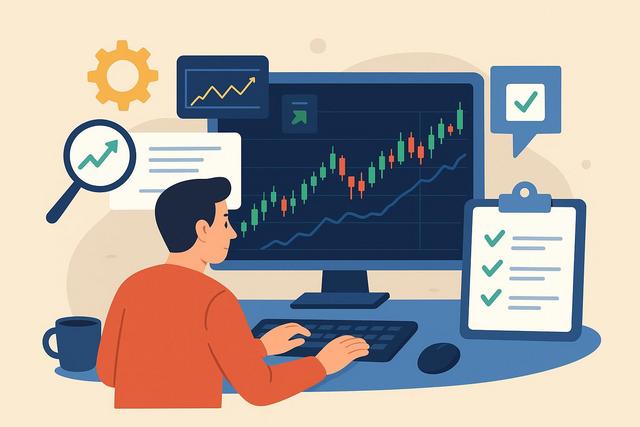
Building an efficient TradingView workflow is crucial for the modern trader who wants to minimize mistakes and make quick, informed decisions. By setting up strategic chart layouts, effective alerts, and comprehensive checklists, traders can optimize their TradingView experience. This detailed guide will walk you through creating a seamless workflow that enhances your trading strategies.
Customizing Chart Layouts for Efficient Analysis
Optimizing Multiple Chart Views
TradingView allows traders to create multiple chart views to monitor various assets or timeframes simultaneously. Using this feature, traders can quickly switch between different markets or view correlated assets side-by-side.
For example, a forex trader might open simultaneous layouts for EUR/USD, GBP/USD, and USD/JPY to track USD movements. This interconnected view often reveals trends not easily seen in isolation.
Actionable Insight: Organize your workspace by creating a layout for daily analysis and a separate one for intraday monitoring. Each layout should be purpose-driven, focusing on specific market variables.
Layout Templates for Repetitive Tasks
Creating template layouts for recurring analysis tasks saves time and reduces the risk of oversight. Templates should include popular indicators and drawing tools relevant to each analysis type.
Example: A stock trader could design a template for earnings analysis that includes volume indicators and past earnings data overlays. This structured approach standardizes the analysis process, ensuring pertinent factors are consistently reviewed.
Strategic Perspective
Traders often overlook layout customization, leading to cluttered interfaces and cognitive overload. By creating functional layouts, the workflow becomes streamlined and efficient.
Setting Effective Alerts for Timely Decisions
Types of Alerts and Their Importance
TradingView offers various types of alerts, such as price, indicator, and time-based alerts. Each serves a distinct purpose, helping traders stay updated without continuous screen monitoring.
For instance, setting a price alert on a breakout level enables traders to quickly capitalize on emerging trends. Alerts act as a safety net, catching potential opportunities or warning signs when manual observation is not possible.
Data Point: According to TradingView's internal data, users who actively utilize alerts are 30% more likely to seize profitable trades. Source
Case Study: Maximizing Alerts Efficiency
Consider the case of a swing trader who successfully implemented a system of alerts to manage multiple open positions. By setting alerts for key market levels, the trader reduced screen time by 50%, allowing more time for strategic decision-making.
Critical Insight
While alerts are powerful, overusing them can dilute their effectiveness. Prioritize alerts that align closely with your trading plans.
Developing a Comprehensive Trading Checklist
Components of a Robust Checklist
A trading checklist is an essential risk management tool that ensures all vital criteria are met before entering or exiting a trade. Key components include trend analysis, news check, indicator verification, and risk assessment.
Bullet List Example:
- Check trend direction on multiple timeframes.
- Confirm indicator signals.
- Assess risk-reward ratio.
- Observe upcoming economic news events.
Case Study: Checklist Implementation Success
A day trader who integrated a detailed checklist in their TradingView workflow saw a marked decrease in impulsive trades and an overall improvement in trade quality. The checklist acted as a decisive filter, emphasizing discipline and objective analysis.
Strategic Tip
Revisit and update your checklist regularly to incorporate new insights and adapt to evolving market conditions.
Integrating External Tools for Enhanced Functionality
Leveraging TradingView with Other Platforms
Integrate TradingView with other analytical tools like MetaTrader or Python scripts for backtesting. Such integrations expand analytical capabilities and improve trading precision.
Example Integration: Combine TradingView's charting prowess with MetaTrader's algorithmic trading to develop a robust hybrid trading strategy, optimizing both analysis and execution phases.
Actionable Strategy
Research APIs and third-party plugins compatible with TradingView, focusing on those that align with your trading strategy objectives.
Ensuring Data-Driven Decision Making
Utilizing Data Insights and Analytics
Data is imperative in forming sound trading decisions. Use TradingView's database tools, such as their economic calendar and market screener, to access historical data and predictive analytics.
Data Insight: Traders utilizing TradingView's advanced screeners report a higher interaction with wide-ranging asset classes, precipitating diversified portfolios.
Critical Perspective
Beware of data overload. Prioritize insights that offer clarity and align with your primary trading goals rather than overwhelming information.
Enhancing Workflow with Strategic Community Engagement
Collaborating with the TradingView Community
Engage with TradingView’s community to share strategies, indicators, and insights. This collaborative environment fosters innovation and growth.
Example: Joining TradingView forums can expose traders to a wide array of user-generated scripts and strategies, enhancing personal trading practices through collective intelligence.
Practical Engagement
Join specific community chats or groups that match your trading interests to gain maximum value from shared knowledge and resources.
Critical Insight
While community insights are valuable, always verify shared information to ensure alignment with your established trading principles.
Conclusion: Building Your Ideal TradingView Workflow
By customizing chart layouts, setting strategic alerts, and using a thorough checklist, your TradingView workflow can become a well-oiled trading mechanism. Integrate additional tools and leverage the TradingView community to continuously refine your approach. Implement these strategies incrementally, assessing their impact on trading outcomes. Regular evaluation and adaptation are key.
Implementation Steps:
- Create separate chart layouts with specific purposes.
- Set meaningful alerts aligned with your trading goals.
- Develop and regularly update a comprehensive trading checklist.
- Explore external tool integrations that complement TradingView features.
- Engage with the TradingView community for growth and development.

